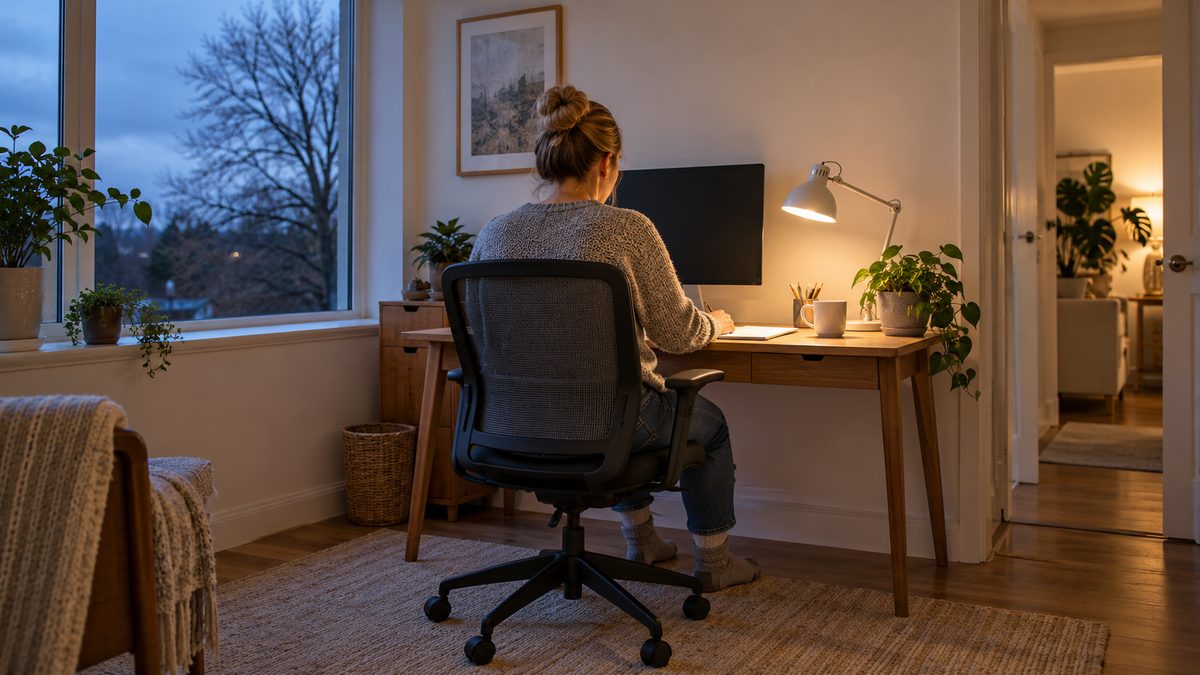
As daylight fades, turn on suitable room lighting, check screen reflections and bring your work into clear view without leaning forwards. Keep changing position and moving indoors rather than trying to hold one posture all afternoon. A lighting change and a short movement break address different parts of the problem.
Short winter days are more noticeable in some regions than others, but a dim work corner can happen anywhere. A desk that felt comfortable beside a bright window in the morning may need a different arrangement later. Review the setup when the light changes, not only when your back begins to ache.
Notice what your body does when the room gets dim
Are you moving closer to small print, tilting your head to avoid a reflection or hunching over paperwork? These are clues to inspect the task. Sitting straighter for a moment will not make faint text easier to read or remove a bright lamp reflected in the screen.
Look at the room as well as the display. A bright screen against a dark background can feel uncomfortable to view. Add enough ambient light to see your surroundings, then adjust task lighting for documents. Avoid placing a bare bright bulb directly in your line of sight.
If print remains difficult to see, increase text size or use the application's zoom rather than repeatedly leaning in. Persistent blurred vision, headaches or eye discomfort warrant advice from an eye-care professional. Lighting and chair changes cannot explain every visual symptom.
Check reflections before changing the chair
View the display from your usual working position with a dark area on screen so reflections are easier to notice. Look for a window, ceiling light or desk lamp mirrored in it. Move the light or alter the desk or screen position where practical, keeping the display within comfortable reach and view.
Placing the screen roughly at right angles to a window can be a useful starting point. Blinds or curtains may help when daylight is low and direct. Recheck after turning on evening lights, because a reflection that was absent in the morning may appear later.
| Afternoon clue | First adjustment | Recheck afterwards |
|---|---|---|
| You lean towards text | Enlarge text and improve task lighting | Can you read from a relaxed seated position? |
| A bright shape reflects in the display | Move the light or screen within the workspace | Is the reflection gone at your normal eye level? |
| The display feels glaring in a dark room | Add room light and adjust screen brightness | Can you see both screen and surroundings comfortably? |
| You bend over paper beside the keyboard | Move it closer and light it directly | Does reading still require a sustained twist? |
| You stay still after daylight fades | Attach movement to a recurring work task | Have you changed activity as well as position? |
There is no single brightness setting for every room. Aim for comfortable viewing and adjust as conditions change. The monitor height and distance guide covers screen placement once reflections are under control.
Bring the work towards your supported position
Sit with your feet supported and your back resting comfortably against the chair when you want support. Keep frequently used controls close enough that your upper arms can relax. You can sit upright, recline a little or change position as the task allows.
If a laptop forces you to choose between a low screen and high hands, an external keyboard and pointing device can allow separate positioning if available. Do not raise the laptop so far that typing becomes a long reach. For simpler options, see laptop posture adjustments.
Keep paper and notes where they can be read without repeatedly turning far away from the screen. A stable document support may help, but clear existing desk clutter first. Our desk ergonomics checklist can help identify which part of the arrangement needs attention.
Give indoor movement a place in the afternoon
Use task boundaries as reminders to move: after sending a piece of work, before a call or while changing projects. Stand, walk to another room or make a drink when appropriate. A posture reminder that only makes you pull your shoulders back leaves the long period of stillness unchanged.
For calls that do not require typing, stand or walk on a clear indoor route if you can do so comfortably. Avoid pacing beside loose cables or on stairs while distracted. If standing is difficult, change your seated position and use comfortable seated movements instead.
Do not make the break dependent on finishing an entire afternoon's work. Use a reminder if you tend to lose track of time. The indoor winter movement ideas offer options when going outside is impractical.
Keep warmth separate from a cramped sitting position
If you are cold, add comfortable clothing or adjust the room safely rather than staying curled around a heater. Keep portable heating equipment clear of fabrics and follow its instructions. A blanket should not catch under chair wheels or obstruct your feet.
A warmer room may make working more pleasant, but it does not replace movement or suitable lighting. Check the whole afternoon routine again after making changes. If a particular adjustment encourages you to stay still for longer, build the breaks back in.
When desk aches need more than a setup change
This is general guidance. Seek prompt medical advice for new weakness, fever alongside back pain or severe symptoms that start suddenly or worsen quickly. Persistent pain affecting work, sleep or normal activity also deserves assessment.
Seek emergency help for new bladder or bowel changes, numbness around the bottom or genitals, or symptoms affecting both legs. Do not wait for a new chair to address those signs. Read when to seek medical help for back pain for further guidance.
Frequently asked questions
Do I need a special lamp for winter desk work?
Start with whether existing room and task lights can illuminate the work without glare. A lamp should be stable and positioned so its light reaches the task rather than your eyes or the screen. No particular lamp is required simply because the season changes.
Will a screen colour setting fix my posture?
A colour setting may change how the display looks, but it cannot move the keyboard closer or give your body an activity break. Judge it by viewing comfort and deal separately with reflections, text size, work position and time spent still.
What if I work in a shared office and cannot move the lights?
Ask about an available desk adjustment, blinds or a suitable local task light. A small change of screen position may help if it preserves a comfortable view. Explain the specific reflection or reading difficulty so the discussion concerns a practical problem.
Should I replace sitting with standing all afternoon?
Long unbroken standing can also become uncomfortable. If you have an adjustable desk, use it to add variety and set the screen and controls for each position. Keep opportunities for walking or other movement rather than exchanging one fixed posture for another.