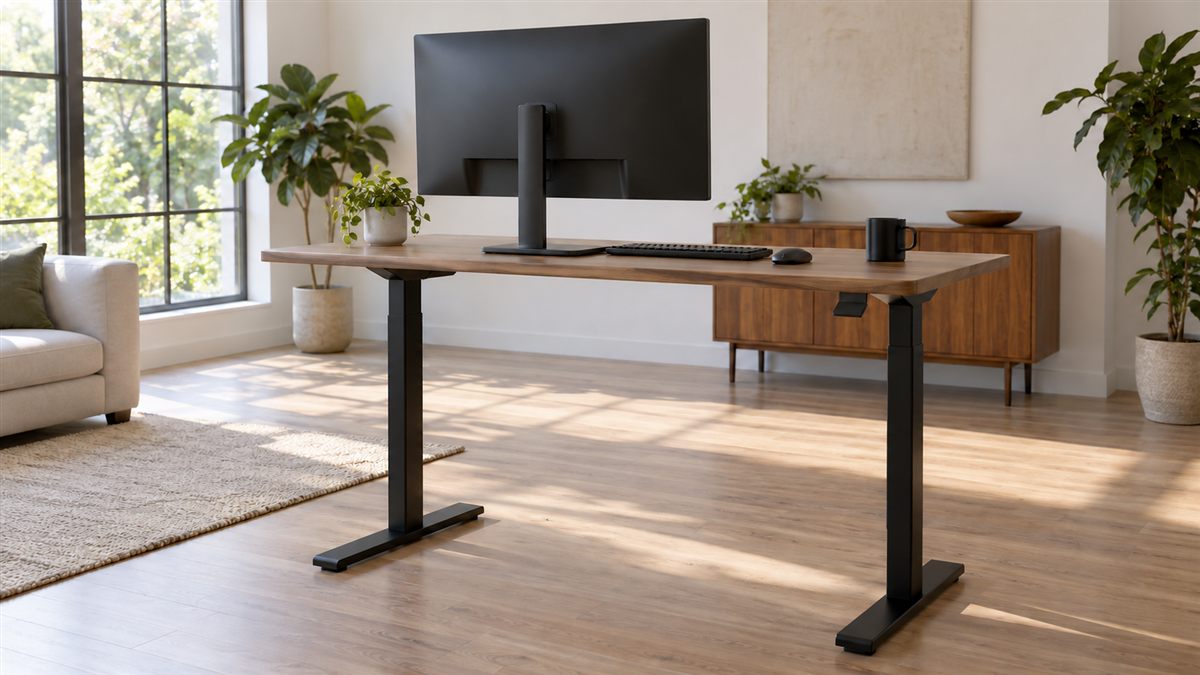
A standing desk gives you another way to work. Its most useful feature is the ability to change position, rather than the promise of a perfect upright posture. Start with a short comfortable standing spell, then return to sitting or take a walk before fatigue dominates.
Standing still can also become tiring. Treat discomfort as information about the setup, the duration or your need to move. You do not need to meet a daily standing target to justify owning the desk, and a difficult first attempt does not mean you have failed.
Set the keyboard height first
Stand near the desk with your upper arms relaxed beside you. Bend your elbows comfortably and bring the typing surface towards your hands. If you lift your shoulders to type, lower the desk. If you stoop towards the keys, try raising it slightly.
Keep the keyboard close and the mouse beside it. A desk converter can leave the mouse on a different level or too far away. Check both hands during real work, especially if your job uses precise mouse movements for long periods.
Your wrists should not need to bend sharply upwards. Avoid resting them heavily against a hard edge. If the work surface has separate keyboard and screen levels, adjust them as a pair instead of accepting the manufacturer's initial arrangement.
Reset the screen for standing eyes
Your eye height changes when you stand, so a monitor placed for sitting will usually need repositioning. Keep the main screen ahead and readable without tipping your chin or bending your neck. Increase text size if you drift closer during detailed tasks.
A laptop on a raised desk still joins the keyboard to the display. Separate controls make it easier to meet the needs of your hands and eyes. Read laptop posture fixes before buying a converter solely to lift the entire device.
Check screen stability after raising the desk. A display that wobbles with each keystroke can make working unpleasant. Keep cables slack enough for the full height range, but secure them so they cannot catch your feet, chair wheels or desk mechanism.
Give your legs options
Place your feet in a comfortable stance rather than pressing them together or holding a wide military pose. Keep your knees easy rather than locked. Shift your weight when you want, and allow small changes instead of repeatedly correcting yourself back to one shape.
A low, stable foot support can offer a place to rest one foot briefly. Swap sides and avoid holding the same uneven stance for an entire meeting. Remove the support if it crowds your workspace or makes it harder to step away safely.
Choose shoes that feel comfortable on the surface beneath you. A mat may soften a hard floor, but its edges must lie flat and its surface must remain secure. Move the chair carefully around it so a wheel does not catch.
Standing setup checklist
- The desk reaches a comfortable typing height without raised shoulders.
- The monitor moves into a readable position when the desk rises.
- The mouse sits beside the keyboard with space for movement.
- Power and display cables remain free through the height range.
- The area allows you to shift stance and step away.
- The lowered desk still suits your seated arrangement.
- Objects on shelves and windowsills do not obstruct the moving surface.
Test the full movement before placing drinks or delicate equipment on the desk. Follow its operating instructions and weight limits. Keep hands clear of pinch points, and consider children, pets and nearby furniture when choosing where the desk will travel.
Alternate around the work
Reading a short document or attending a call may provide an easy opportunity to stand. Detailed writing might feel better seated. Let the task help choose the position, then change again before the arrangement feels demanding. Start gently if standing work is unfamiliar.
Walking is a different activity from standing. A few steps to another room, a short corridor walk or an outdoor break brings variety that a raised desk cannot supply. The sitting breaks guide includes ways to create those opportunities during busy days.
If a meeting runs long, give yourself permission to sit without waiting for it to end. Keep the chair accessible and make the transition simple. A desk that takes several minutes to rearrange can discourage changes, so reduce the objects that must move each time.
Manual desks deserve the same practical checks as electric ones. Make sure the handle is accessible, adjust slowly and keep the load balanced according to the instructions. If changing height feels awkward or heavy, you may avoid doing it. Ease of transition is therefore worth considering alongside the maximum and minimum height when selecting equipment for a shared room.
Use your response to refine the plan
Notice where fatigue begins and what happens after changing position. Sore feet might call for shorter standing spells or different footwear. Reaching shoulders may call for a lower surface. Neither observation establishes a diagnosis, but both can guide a practical adjustment.
People with balance difficulties, dizziness, pregnancy related concerns or existing conditions may need personalised guidance. If standing causes symptoms, do not push through them to meet a target. Seek advice about appropriate positions and activity from a clinician who knows your situation.
Use the broader desk ergonomics checklist to keep sitting and standing equally usable. Persistent or worsening pain, new numbness or weakness needs assessment. The useful outcome is a workday with manageable variety and comfortable access to your tools, rather than a longer time spent upright.