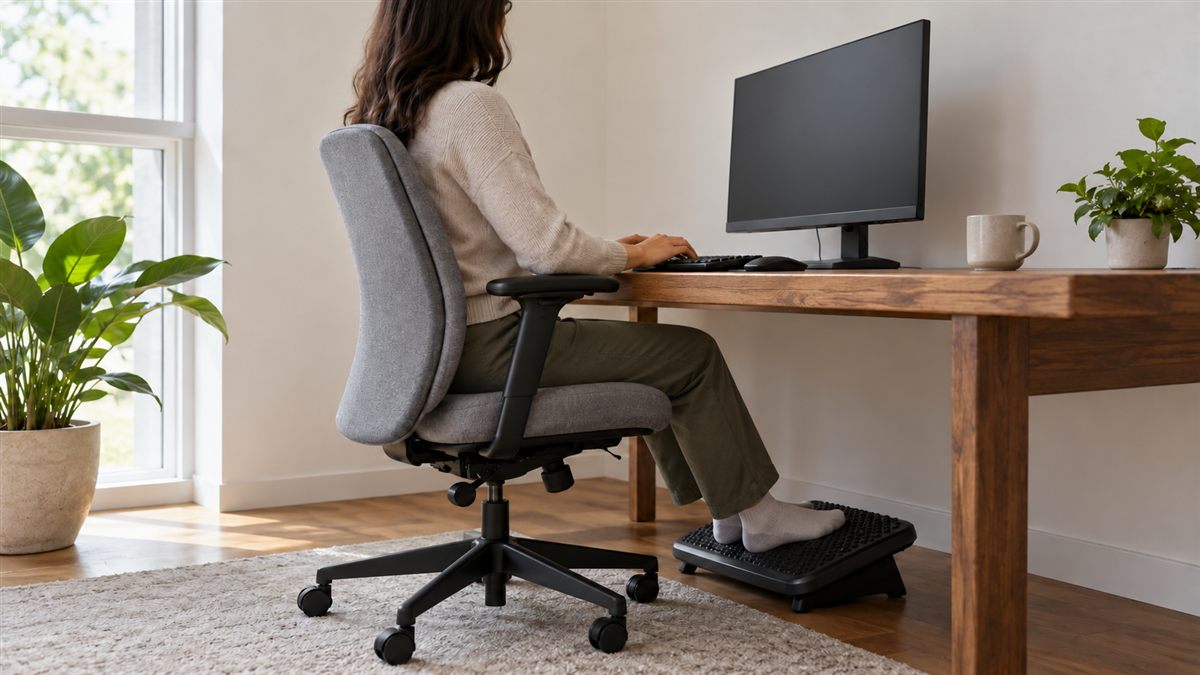
Comfortable desk sitting starts with support, easy reach and permission to move. You do not need to keep your shoulders pulled back all day. A chair should carry some of your weight while your hands and eyes can reach their work without effort.
Think about the task you will do next. Writing notes, joining a call and editing a spreadsheet require slightly different positions. Build a useful starting arrangement, then make small changes as the work changes. A position that feels fine briefly may become tiring when held for hours.
Start at the floor
Place both feet on the floor or a stable footrest. Your shoes and the chair height will affect this. If the desk requires a higher seat, bring support up to your feet rather than leaving them dangling. Avoid balancing your toes on a chair wheel.
Check beneath the desk before adjusting anything else. Bags, computer towers and storage boxes can force your legs to one side. Clear enough space to place your feet in different positions. You should be able to bring the chair close without your knees hitting a drawer.
A footrest does not need special features to be useful. It needs to stay still, support enough of each foot and fit beneath your desk. A slippery stack of magazines is a poor substitute because it can shift as you stand.
Let the chair support you
Sit far enough back to use the backrest while keeping a little space between the seat edge and the backs of your knees. If reaching the backrest makes the seat press behind your knees, the seat may be too deep. A depth adjustment or different chair may help.
Adjust the backrest so it meets your lower back comfortably. Support should feel like contact, rather than a hard object pushing you forward. A slight recline can be suitable for reading or calls. Stay close enough to the desk that reclining does not turn into reaching.
Armrests are optional supports. Lower or move them if they lift your shoulders or prevent the chair from approaching the desk. Your elbows should not need to hover far from your body. The office chair guide explains which adjustments matter when choosing a replacement.
Bring the work towards your hands and eyes
Keep the keyboard near enough that your upper arms can remain close to your sides. Place the mouse beside it, on the same surface. A large keyboard can push the mouse outwards, so check the reach you use most frequently rather than arranging everything symmetrically for appearance.
Allow your wrists to stay broadly in line with your forearms. Avoid pressing them against a sharp desk edge while typing. If your shoulders rise to reach the keyboard, the surface may be too high. Raising the chair might help, provided your feet remain supported.
Put the main screen directly ahead and make text large enough to read from your supported position. Screen height depends partly on your vision and lenses. Our monitor positioning guide covers those details, including why a fixed measurement cannot fit every person.
A quick sitting checklist
- Your feet have a secure resting place and can change position.
- The seat supports your thighs without pressure behind your knees.
- The backrest meets your back without forcing a large arch.
- Your keyboard and mouse are close enough for easy reach.
- The screen is readable without repeatedly leaning forward.
- Your chair can move away from the desk without catching cables.
Run through the checklist while doing real work, not only while posing for a photograph. Type a paragraph, move the mouse across the screen and read a document. Small problems often become clear when your attention returns to the task.
Make room for more than one position
Good sitting does not mean staying still. You might lean back during a conversation, sit a little more upright to write, or move your feet during reading. These ordinary changes are useful options. Avoid turning posture into a constant test of discipline.
Leave the seat at convenient breaks in the work. Walk to refill water, stand for a short call or move between rooms. A standing desk is one option, but walking and ordinary movement do not require one. Use breaks from sitting to build a routine that fits your day.
If work keeps pulling you forward, identify the reason. Small text, a distant keyboard, glare or poor eyesight can all change how you sit. Fixing the task arrangement is often more practical than repeatedly reminding yourself to pull your head back.
Pay attention to what happens late in the day, when concentration and energy change. You may need a larger font, a brief walk or a different task rather than more effort to sit upright. Place reminders where they support a practical action, such as clearing the desk before a call, rather than repeatedly checking your body in a mirror.
Adapt the advice to your situation
Shared workstations need a short reset each time you use them. Notice your chair height, foot support and screen position before opening email. At home, a dining chair may need different compromises from an office chair. Keep temporary additions stable and remove anything that makes standing harder.
People with a disability, recent surgery, pregnancy or an existing condition may need individual advice. A workplace assessment or physiotherapist can help translate broad principles into a suitable arrangement. Do not force a textbook position that conflicts with your comfort or clinical instructions.
Discomfort that persists, worsens or repeatedly returns should not become a chair adjustment project indefinitely. Seek a clinician's advice, especially with numbness, weakness or other new symptoms. Sudden bladder or bowel changes with back pain need urgent assessment. A comfortable workstation supports daily life, but cannot explain every symptom.